Digital check-in in 4 steps: what the traveller sees, what the host tracks
Digital check in in Morocco in 4 steps: create the stay, share the journey, track progress, retrieve the police form and documents.
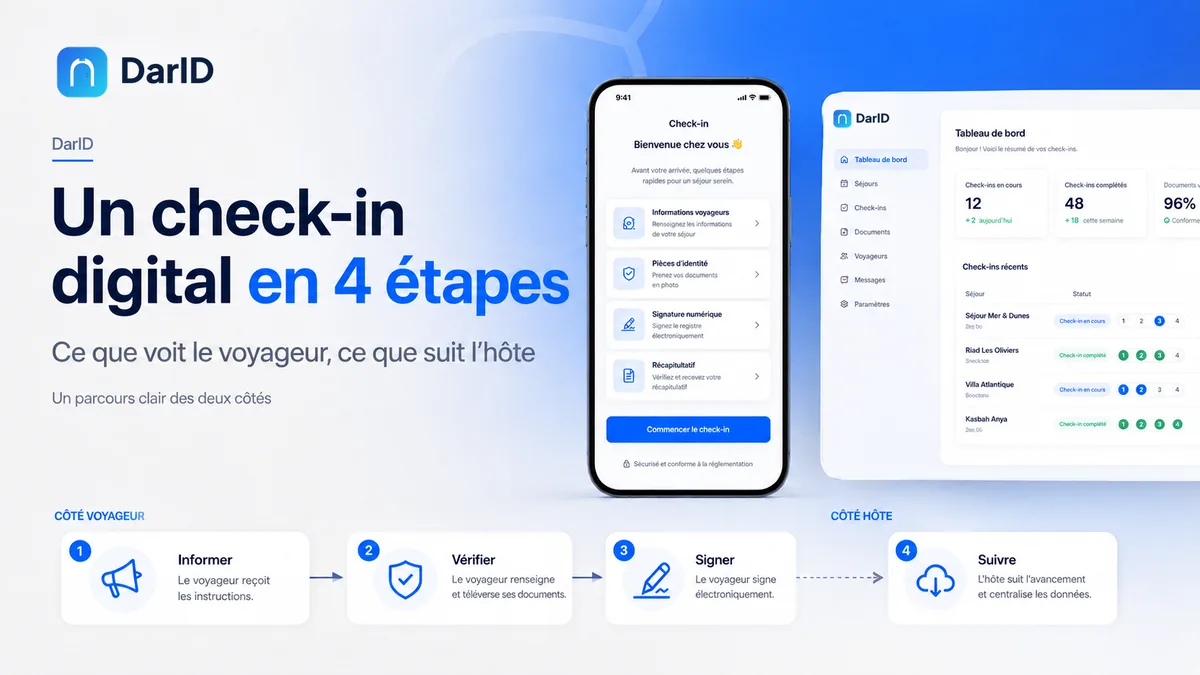
Going digital raises legitimate questions. Will the journey be simple for a foreign traveller? Will they agree to complete their information before arriving? How do you link the signature to the right traveller?
A successful digital checkin in Morocco relies on one rule: it must be simpler for the traveller than a paper form, and clearer for the host. Here is the 4-step journey, from both the traveller's and the host's perspective.
1. The host creates the stay
As soon as the booking is confirmed, whether on Airbnb, Booking.com or directly, the host creates the stay.
Host side
They specify the accommodation and the dates. A check-in link attached to this specific stay is generated.
Traveller side
They receive this link through the usual channel: WhatsApp, email, or the platform's messaging system. No app to install: the link opens directly in the phone's browser.
2. The traveller accesses their journey
The traveller accesses a clear journey, available in English, French, and Arabic.
Identity information
Scanning the identity document can pre-fill certain fields. The traveller verifies, corrects if necessary, and completes the rest.
Stay information
They fill in the details required for the individual accommodation form, often referred to as an Airbnb police form when the booking comes from that platform. The reference document is the individual accommodation form provided for by Decree No. 2-15-865. You can check its sections with our free police form generator.
3. The traveller signs with OTP verification
This step links the confirmation to the traveller.
Review and confirm
The traveller reviews the summary of their information and confirms its accuracy.
Validate with a code
A one-time password (OTP) is sent to them. By entering it, they link their validation to their contact details. The signature is timestamped within the stay file.
4. The host tracks progress
Meanwhile, the host maintains a clear overview.
Status of each stay
They can see if the journey has been sent, started, or completed, and what is missing.
Stay document
Once the journey is complete, the document is prepared from the validated information and attached to the stay.
A more peaceful welcome
Upon arrival, the host no longer has forms to be filled out. They can focus on the welcome.
Collecting is not transmitting
DarID helps prepare, group, and track check-in information. It does not replace the host's obligations or official systems when they are required. Check the procedure applicable to your activity, within the framework of Law No. 09-08 regarding personal data.
Want to see the actual journey?
Detailed steps are presented on the features page. A demonstration allows you to see the traveller journey and host tracking in a real-life scenario.
Frequently Asked Questions
Does the traveller need to download an app?
No. The journey opens from a link in the phone's browser.
Can a foreign traveller receive the OTP code?
The code is sent to the contact details provided by the traveller. Check with them that they have access to this number or email during their trip.
What if the traveller hasn't completed their check-in before arriving?
Simply resend the link: they can finish the journey on their phone upon arrival, without needing a paper form.
Sources
- Ministry of Tourism — tourist accommodation — mtaess.gov.ma/fr/tourisme/metiers-tourisme/hebergement-touristique/
- DarID — police form Morocco — darid.ma/fr/fiche-de-police-maroc
- DarID — features — darid.ma/en/features